Fixing FiveM Error 127
Error 127 is one of the most common startup errors on FiveM servers. In most cases, it indicates that the alpine
runtime is missing, corrupted, or no longer executable.
This guide explains the most common causes and how to restore a working installation.
Why does this happen?
The alpine directory contains the runtime environment required by FiveM. If its contents are modified, deleted, or
left incomplete after an interrupted update or an unexpected shutdown, the server may fail to locate or execute the
required binaries and exit with Error 127.
If you recently modified, moved, or deleted files inside the alpine directory, this is the most likely cause.
Incorrect file permissions are another common cause. Files or scripts copied directly into the alpine directory or the
server root may inherit invalid permissions, preventing FiveM from executing its own binaries. Rebuilding the runtime
also resolves this scenario.
Step 1 - Stop the server
Stop the server gracefully from the control panel before making any changes.
If the server does not stop normally, use the Kill action to terminate the process.
Step 2 - Remove the alpine directory
Open the File Manager and delete the alpine directory.
Only the FiveM runtime files are removed. Your resources, database, configuration files, and server.cfg remain
unchanged.
Step 3 - Reinstall the runtime
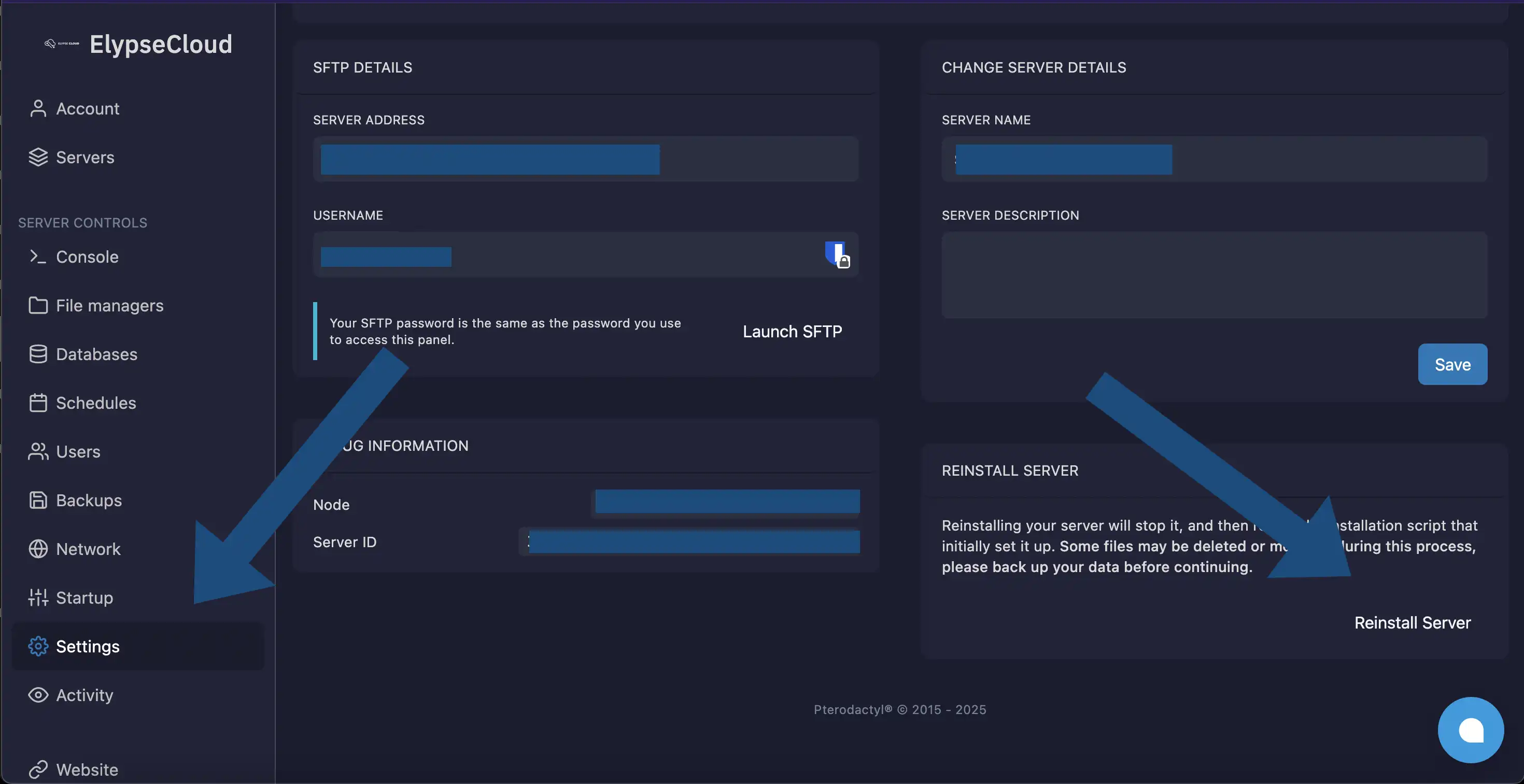
From your ElypseCloud control panel, click Reinstall Server.
The server automatically downloads the artifact version selected in the FiveM Version startup setting and recreates
a clean alpine directory with correct files and permissions. No other data is modified.
Step 4 - Start the server
Once the reinstallation is complete, start the server again.
If the issue was caused by a corrupted runtime or invalid permissions, the server should now start successfully.
Issue resolved
Your FiveM server should now be running normally.
If the error persists after rebuilding the runtime, open a support ticket on our Discord. Include your startup logs so we can help identify the underlying cause.
The ElypseCloud control panel intentionally restricts access to critical system files to reduce the risk of runtime corruption and permission issues.
If you require full operating system access, custom dependencies, or unrestricted permission management, consider using a VPS or a dedicated server instead.