Reset FiveM Server
Discover how to completely reset your FiveM server on Pterodactyl to start fresh. This reinstallation guide explains how to delete all files, use the Reinstall Server function in the panel, and restart with a clean installation.
1. Stop your server
Before any operation, stop your server properly from the panel.
warning
If the server does not stop normally, use the Kill button to force shutdown.
2. Delete all server files
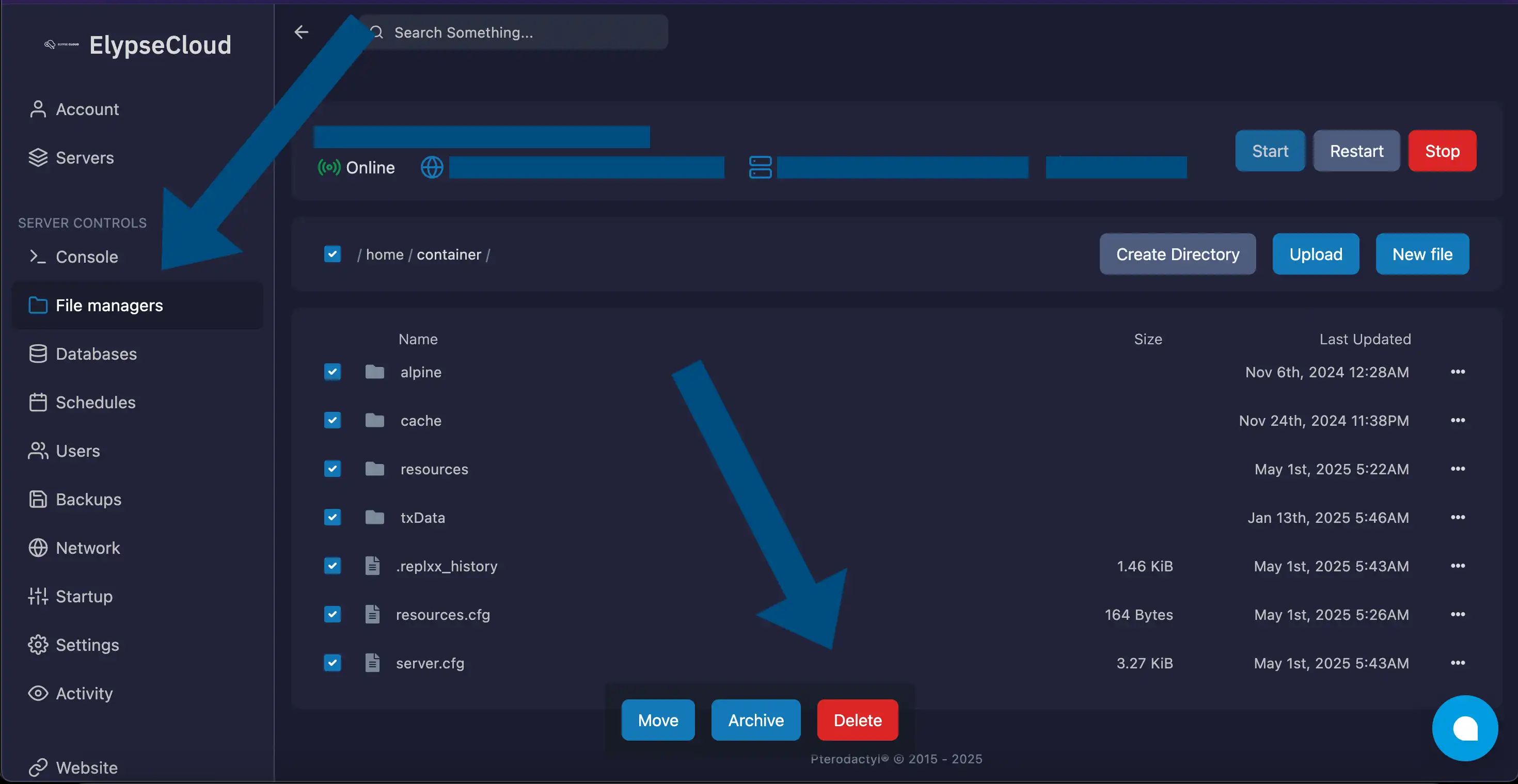
Go to the Files managers section of your Elypsecloud panel:
- Select all folders and files present at the root.
- Click the Delete button to delete everything.
3. Reinstall the server
Once all files have been deleted:
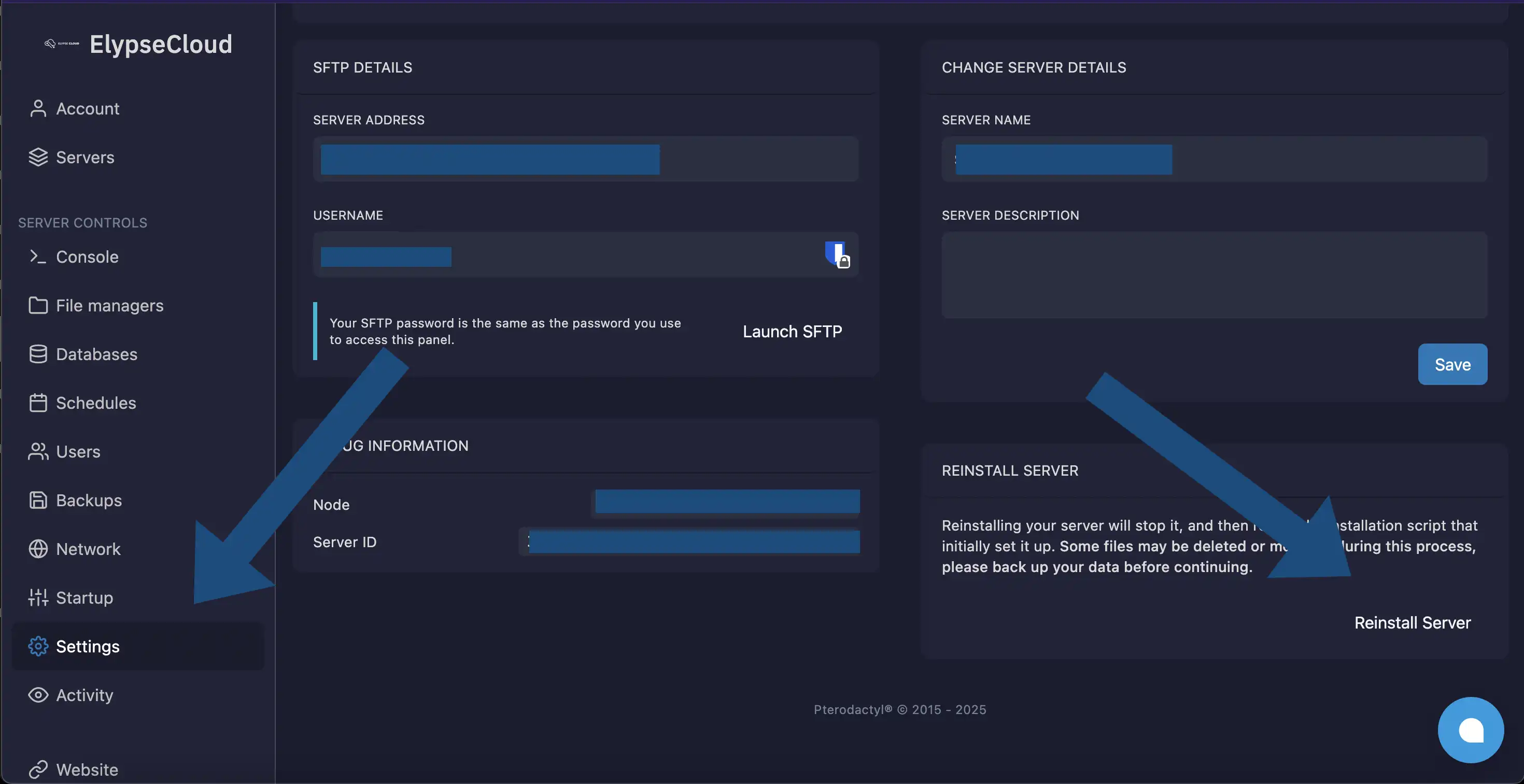
- Go to the Settings section of the panel.
- Click Reinstall Server.
info
This action automatically downloads the version of artifacts defined in the FiveM Version field of the Startup section.
🎉 Congratulations
Your FiveM server has been successfully reset!
Need help?
If you encounter any issues, open a ticket on our Discord.